QUICK START
From login to a live agent in 5 steps.
This is what the path to your first AI phone agent actually looks like — step by step, with real screenshots from the platform. No mockup.
01 //SIGN IN
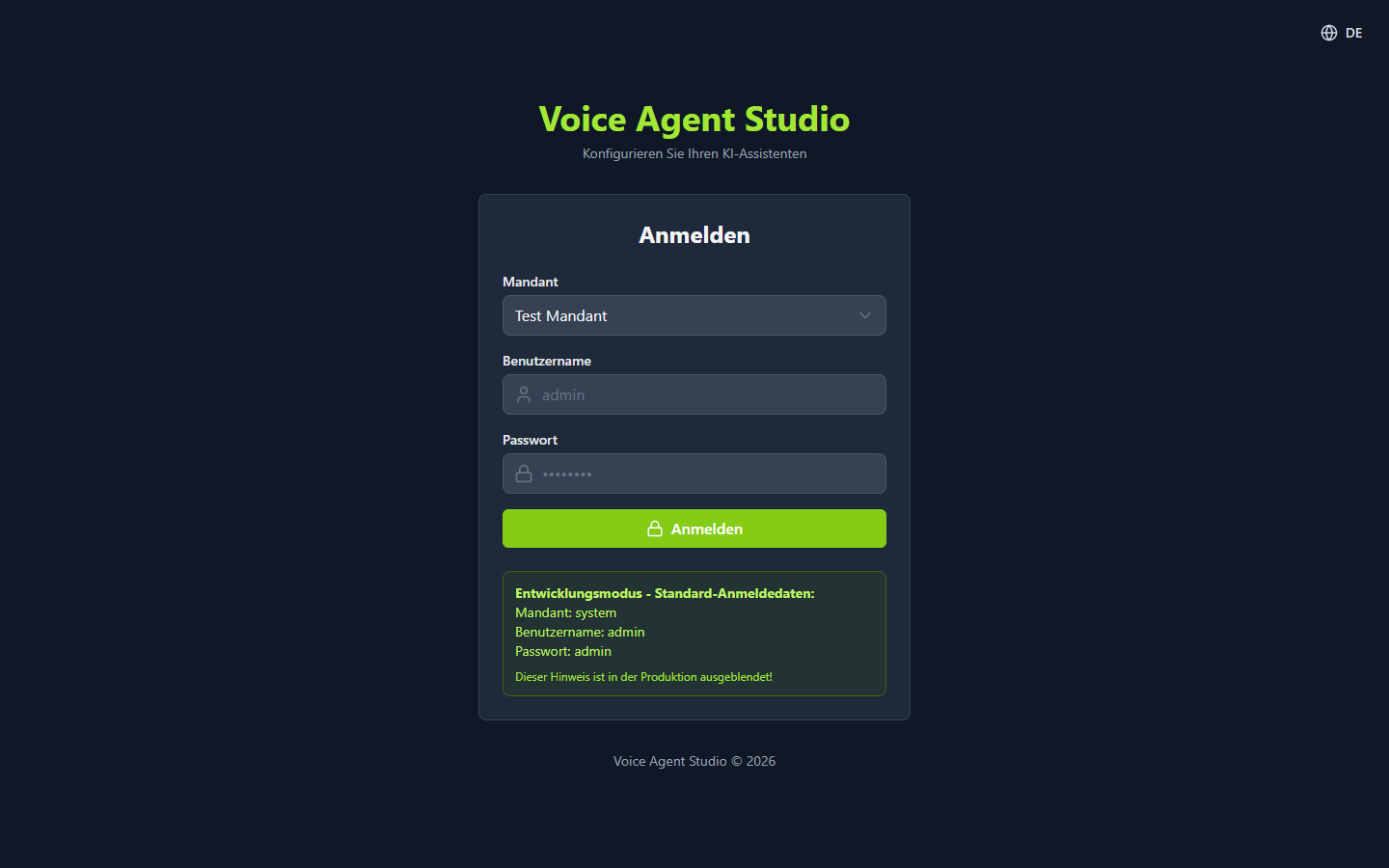
Sign in
Sign in with tenant, username and password. Each tenant sees only its own agents, data and settings — fully isolated from other customers.
02 //AI WIZARD
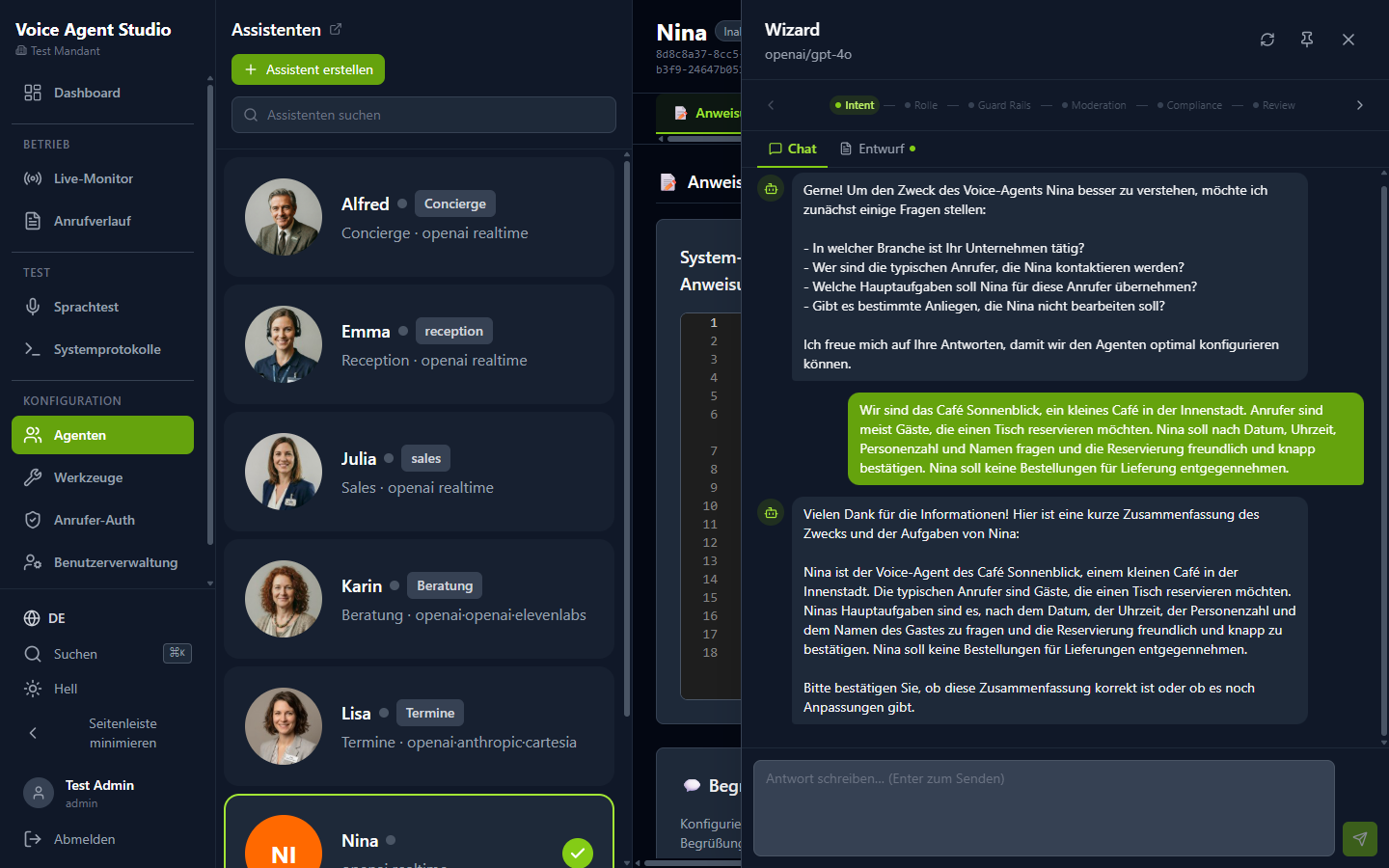
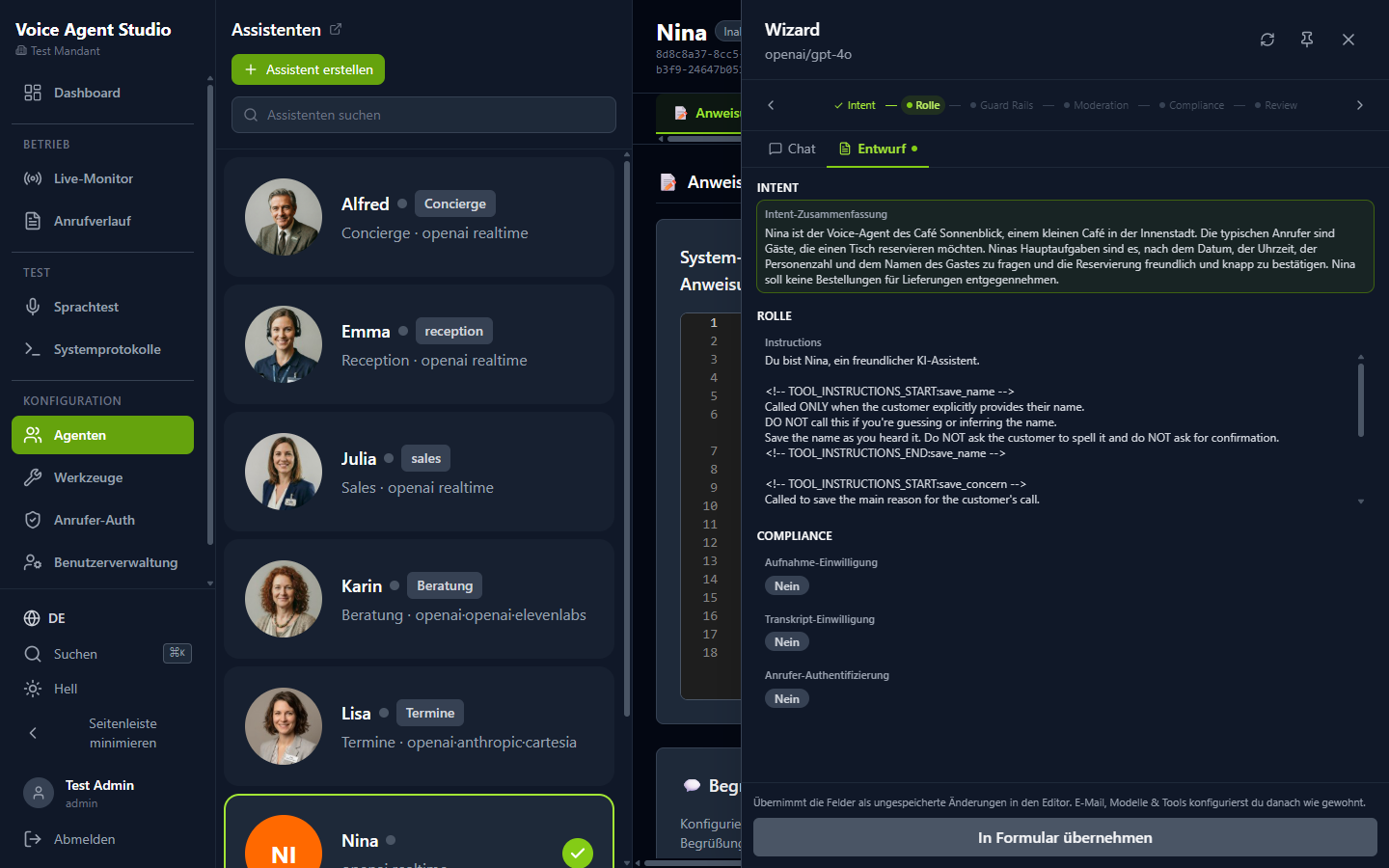
Create an agent with the AI wizard
The wizard asks about the agent's purpose, role and tone in plain language and turns the answers into instructions, greeting and guardrails automatically — ready to accept.
03 //CONFIGURATION
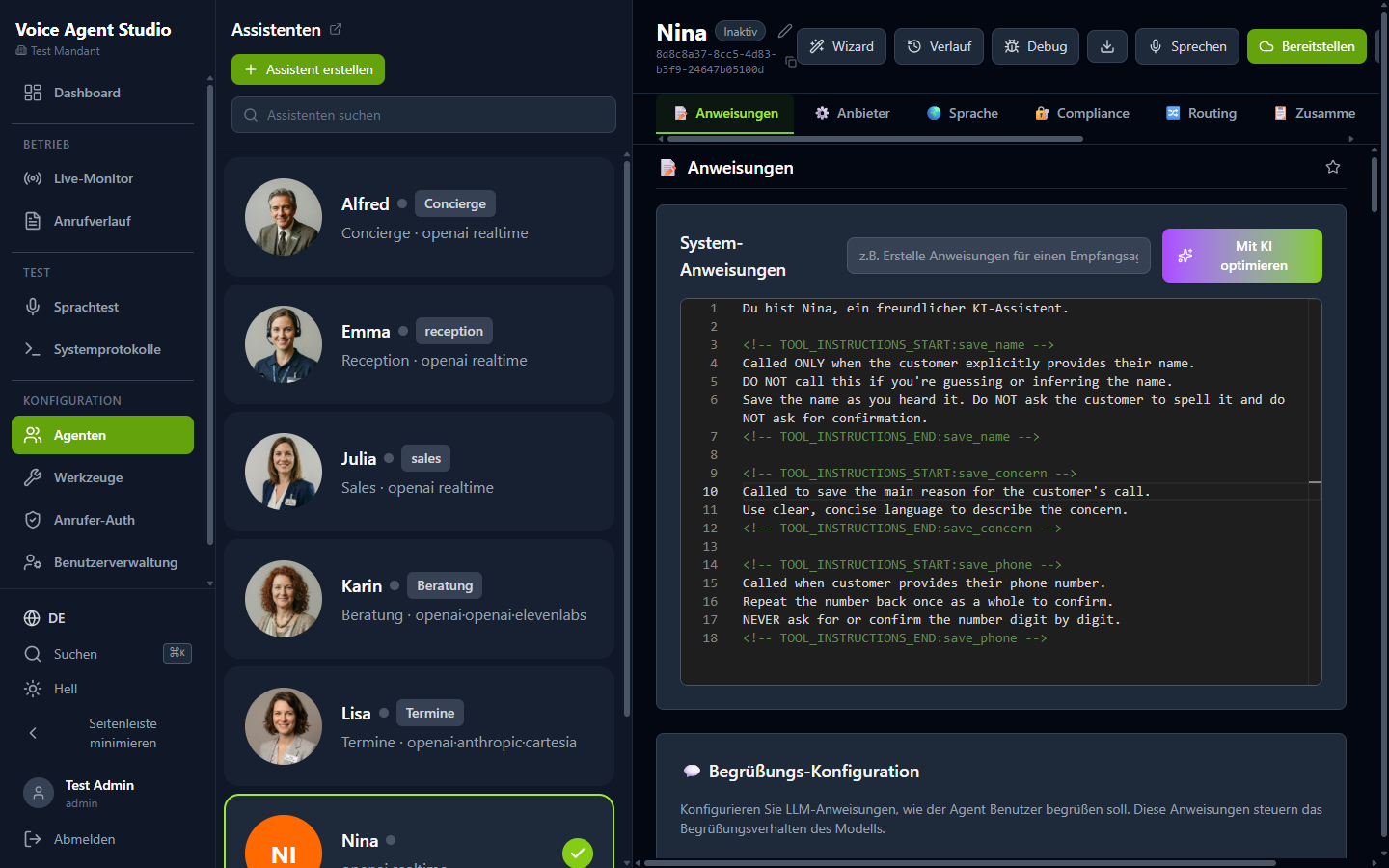
Review the configuration
Instructions, voice and language model are visible at a glance and can be refined any time. Every change is versioned.
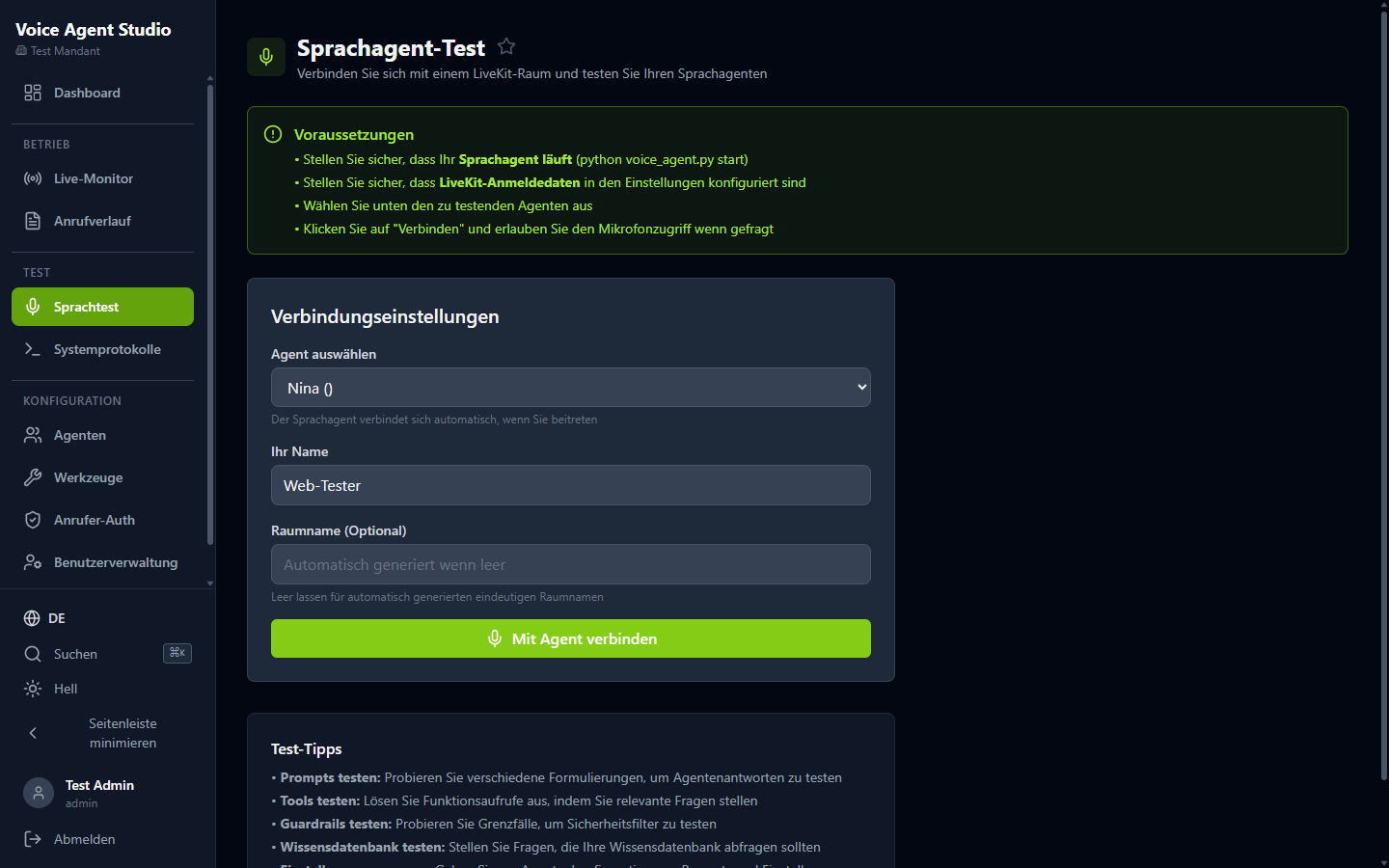
04 //TEST
Test it in the browser
A test conversation right in the browser — no phone call, no extra software — shows exactly how the agent sounds and behaves.
05 //LIVE
Go live
Dashboard and live monitor show the agent in action: calls, load and metrics in real time.
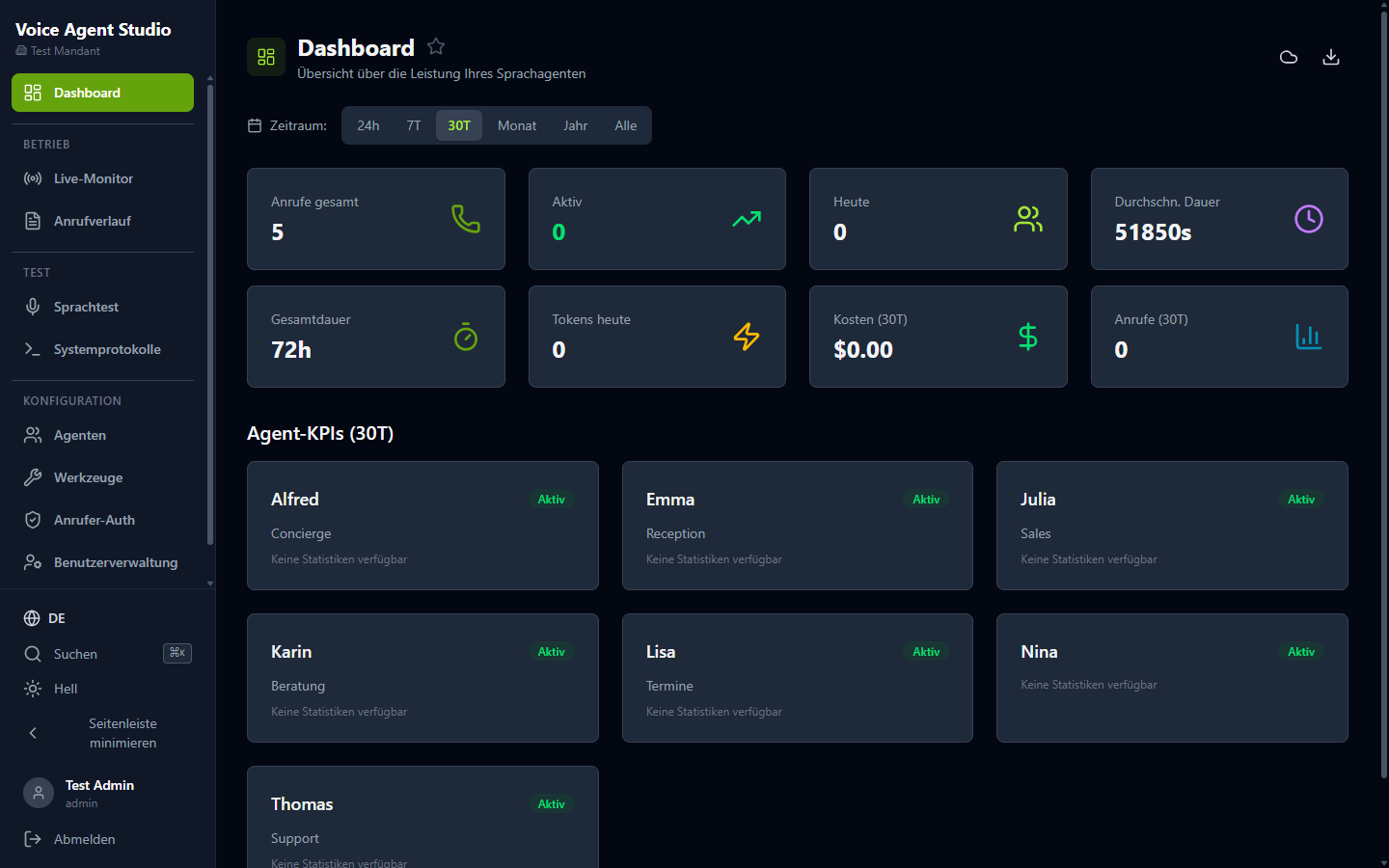
All screenshots show the German interface. Voice Agent Studio is available in English too — switchable right inside the app.
06 //Contact
See Voice Agent Studio live.
30 minutes, your use case, a real phone call: we’ll show you how a voice agent works under your rules.
Or write directly toinfo@ridon.de